Xswiftbus
see als X-Plane driver settings
When changing the connection details between swift and xswiftbus, the modification needs to be applied in sync on both sides. Otherwise connection issues can occur.
On the swift side
Open swift settings/Simulator and click 3 dots (...) opposite X-Plane swift side:
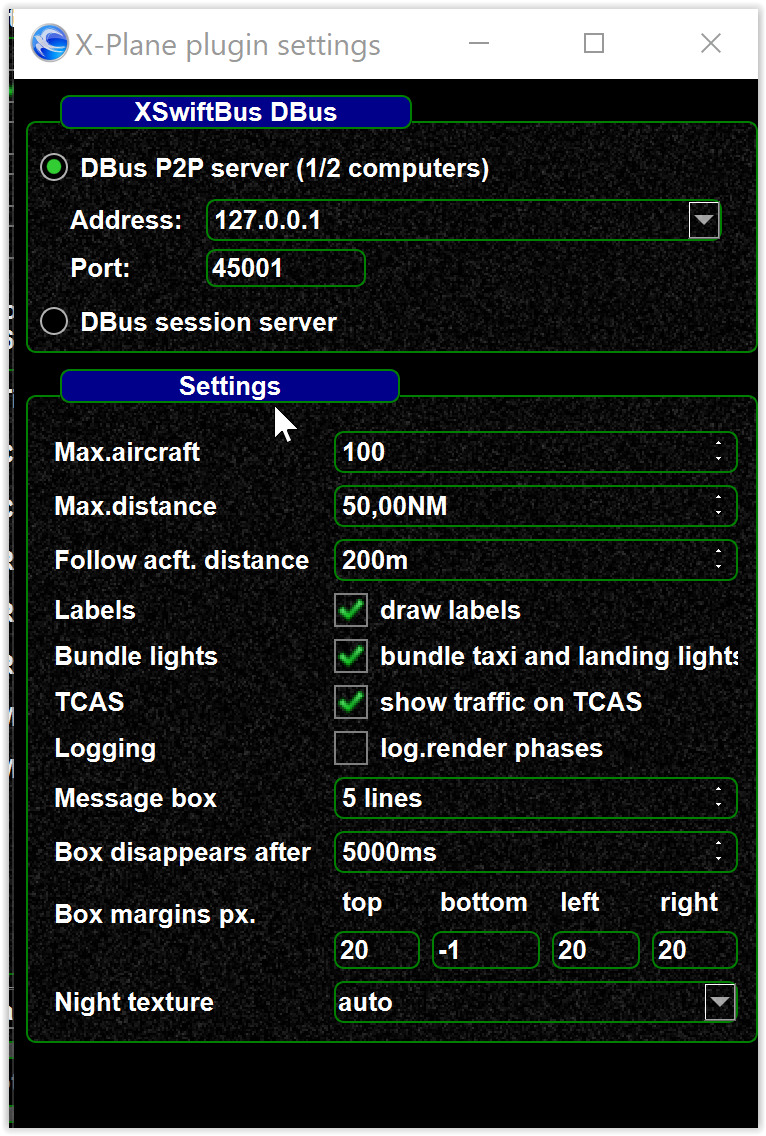
On the X-Plane plugin side
Modify xswiftbus.conf configuration file inside the xswiftbus plugin folder.
It should look like this:
# DBus Mode - Options: p2p, session
dbusMode = p2p

# DBus server address - relevant for P2P mode only
dbusAddress = 127.0.0.1

# DBus server port - relevant for P2P mode only
dbusPort = 45001
Make sure to apply the same settings as on swift side. Any modification of this file will require a restart of xswiftbus (either by a restart of X-Plane or disabling/enabling xswiftbus from the Plugin Manager).